Sep 21
Accelerate your workflow with the Quick Look conveniences that only Peek can deliver: copying, searching, jumping, scroll restoring, syntax highlighting, & more.
Visit Peek’s home page for a list of all 325 — and counting — compatible file extensions.
Learn more at: https://bigzlabs.com/peek
Nov 13
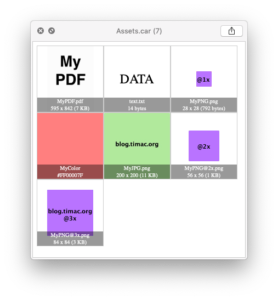
A QuickLook plugin to visualize .car files (compiled Asset Catalogs).
The precompiled binary as well as the whole source code can be found here: https://blog.timac.org/2018/1112-quicklook-plugin-to-visualize-car-files/
Mar 13
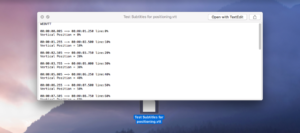
A QuickLook plugin for WebVTT (Web Video Text Track, aka .vtt) files.
You can see a movie demoing it at: http://www.mark-sweeney.com/?p=1833
And you can download the plugin directly here.
Feb 26
Inspired by a number of existing alternatives, the goal of this project is to provide clean, reliable, current and open source Quick Look plugin for iOS & macOS developers.
Thumbnails will show app icon for .ipa/ .xcarchive or expiration status and device count for .mobileprovision. Quick Look preview will give a lot of information, including devices UUIDs, certificates, entitlements and much more.
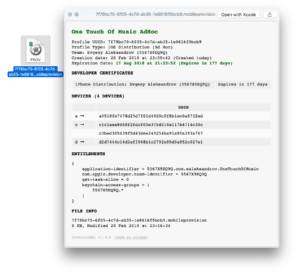
Supported file types:
.ipa – iOS packaged application.xcarchive – Xcode archive.appex – iOS/OSX application extension.mobileprovision – iOS provisioning profile.provisionprofile – OSX provisioning profile
Learn more and download here.
Apr 15
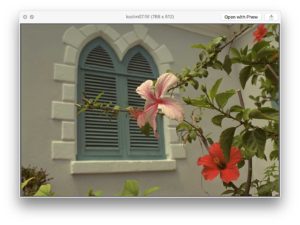
Phew is an open-source FLIF image viewer and QuickLook plugin for macOS.
The Free Lossless Image Format or FLIF is a novel lossless image format which outperforms PNG, lossless WebP, lossless BPG, lossless JPEG2000, and lossless JPEG XR in terms of compression ratio.
Thanks to Wolfgang for the recommendation.
Mar 30
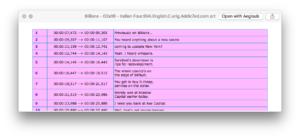
A QuickLook plugin that lets you view subtitles .srt files. Download from the project’s GitHub page.
Thanks to Théo Attali for the suggestion!
Feb 17

QuickLook plug-in version 5.1 for QuarkXPress projects.
It will allow you to see thumbnails of QuarkXPress Projects (.qxp) in Finder and also provide a QuickLook preview for .qxp files created with QuarkXPress 7, 8, 9, 10, 2015 and 2016.
For support please visit http://forums.quark.com
Download the plugin (ZIP file) here.
Feb 07
Support for MXF files is included in Canon’s free XF Utility 3.2 for Mac OS X. The other option is Adobe Bridge however it works only intermittently.
Download the XF Utility here.
Thanks to Paul Galvan for submitting!
Jan 13
This plugin allows you to QuickLook crossword puzzle files (PUZ). PUZ files are the most common way that crossword puzzles are distributed. The New York Times Crossword puzzle site allows you (with a subscription) to download their crosswords in that format.
More details available at the PUZ project’s GitHub repo.
Oct 27
Quicklook Video allows OSX Finder to display thumbnails, previews and metadata for most types of video files.
QuickLook and Spotlight on OSX 10.9 and later understand a limited number of media files – mostly only MPEG audio and video codecs within MPEG container files. This package adds support for wide range of other codecs and “non-native” media file types, including .asf, .avi, .flv, .mkv, .rm, .webm, .wmf etc.
Jul 20
ReST, or reStructuredText is a text processing system for transforming plaintext documentation into other formats. This plugin provides a reST QuickLook viewer implemented in Nimrod.
Download from the project’s GitHub repo.
Jul 08
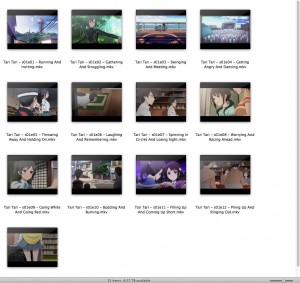
A QuickLook plugin for Mac OS X 10.9 that creates a thumbnail of a video as an icon instead of a generic one. When you trigger QuickLook it displays the thumbnail of the video along with the video information such as its title, size, resolution, and more.
The video information is obtained via mediainfo and the thumbnail is made using ffmpeg.
Download the plugin on GitHub here.
Jun 27
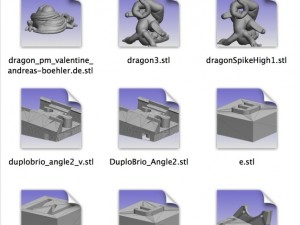
STL are “Stereolithography” files, that are 3D files commonly used in 3D printing.
The plugin is available here:
http://www.thingiverse.com/thing:376361
Mar 26
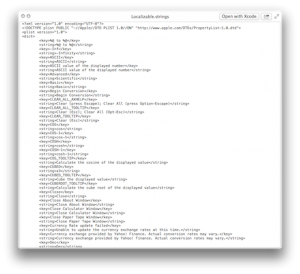
A simple QuickLook plugin to preview .strings files. Contrary to other QuickLook plugins to preview .strings files, this plugin can preview plain text .strings files as well as binary property list .strings files.
More information can be found on the developer’s blog.
Feb 04
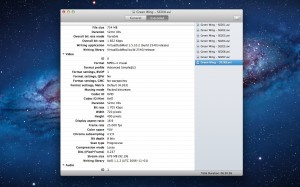
Invisor displays technical information about your video and audio files.
It is based on MediaInfo library and shows detailed info about file’s container and data streams including video, audio, subtitles and chapters.
More information and download from Invisor’s website.
Invisor displays technical information about your video and audio files.
Feb 01

Known Gerber file extension from Altium Designer, CadSoft EAGLE and KiCAD. More information can be found here.
Dec 26
Enables users to just select their Markdown file in Finder and through Quick Look preview them instantly. See how your Markdown file looks on web with just a hit on “Space Bar”.
“As developers of InkMark, we believe that Markdown is the future of writing and we want to make it accessible for everyone. Therefore we are building tools to serve that purpose. Install this plugin to preview your Markdown files with Quick Look.”
Available for download here.
Dec 12
qlBitRate is a QuickLook plugin that will display the bitrate (in kbps) of an MP3 file in the title bar of the QuickLook window. This plugin has been tested to work in at least OS X 10.7 (Lion) and 10.8 (Mountain Lion).
Check out the plugin and docs on GitHub here: https://github.com/jordansaints/qlBitRate.
Aug 30
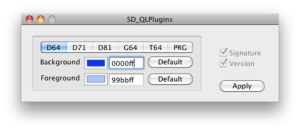
Allows for previewing the content of several types of Commodore (CBM) related types of files:
- Disk images with file names ending with .G64, .D64, .D81, .D71
- Tape images having file names ending with .T64
- Program files – names ending with .PRG and .Pxy
The plugin corrects all known problems other “D64” plugins have, adds several more file types, displays the listings in correct font, follows the original formatting as closely as possible and allows character sets shifting like on a real CBM machine. Preview colours are freely configurable on a per-filetype basis with the supplied preferences application. Plugin supports also GZip compressed files without the need to decompress them first.
A full description and more information can be found here.
Jul 29
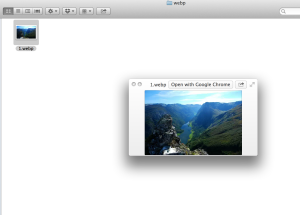
WebP is Google’s new image format and OS X doesn’t recognize the .webp files. This plugin will give you an ability to see previews and thumbnails of WebP images.
More information can be found at: https://github.com/emin/WebPQuickLook
May 13
DjVu QuickLook is a QuickLook plugin for generating first page previews of djvu documents.
To install, extract and move to /Library/QuickLook folder.
Download here.
May 02
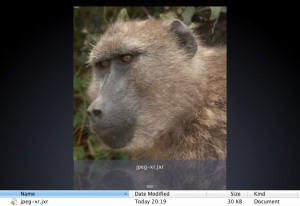
A plug in for QuickLook on Mac OS X for the JPEG XR file format.
JPEG XR is a neat little image format with a lot of features including
- High quality lossy compression (comparable with jpeg2000)
- Lossless compression
- transparency support
- Support for just about every pixel format under the sun
It’s also a free and open ISO standard.
Download from https://jpegxrquicklook.codeplex.com.
Mar 27
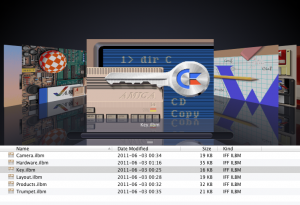
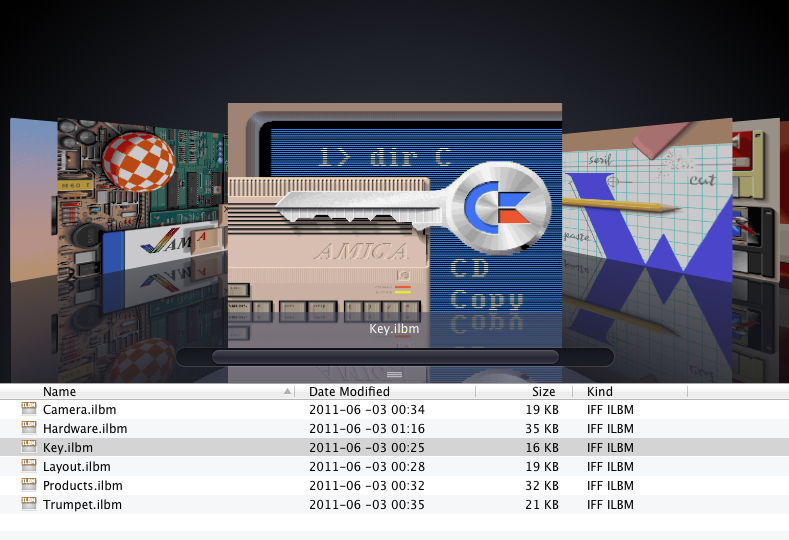
Supported IFF-features:
* ILBM and PBM
* 1-8 bitplanes
* Extra halfbrite
* Hold and modify
* Transparency
Source code available at https://github.com/dalton-tulou/ql-iff
Coded by David Revelj
Oct 03
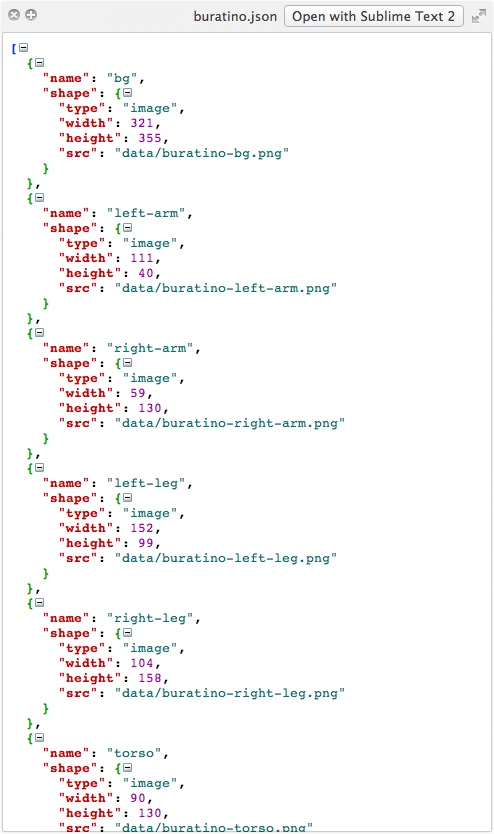
QuickLook JSON is a useful quick look plugin to preview JSON files. It will render files with a colorful view, and will allow to expand or compress nodes in the JSON tree.
More information can be found at: http://www.sagtau.com/quicklookjson.html
Feb 09
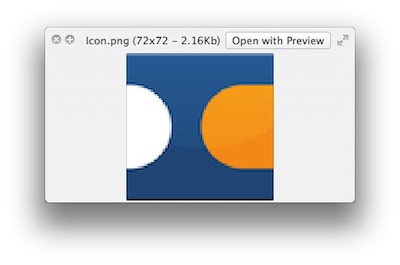
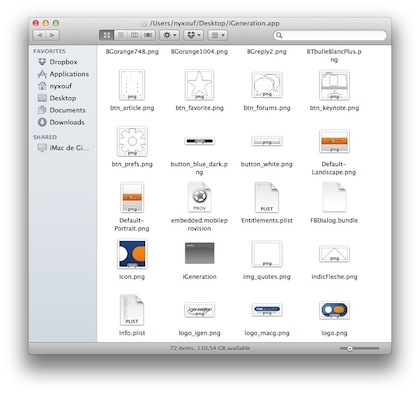
A QuickLook Plugin to display images dimensions and size in the QuickLook title bar (Very handy for developer / designers). It also dynamically display iPhone’s crushed PNG files in the finder and in QuickLook.
More information can be found at:
http://www.cocoabyss.com/mac-os-x/images-dimensions-in-quicklook/
http://www.cocoabyss.com/quicklook/qlimagesize-iphone-crushed-png/
Thanks, Benjamin!
Jan 30
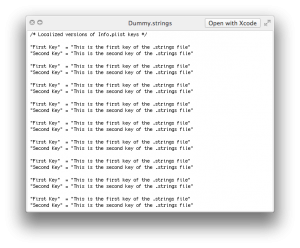
Thong is a Quick Look plugin to view your .string files with a simple touch. Thanks, Jelle Vandebeeck!
Nov 16
A Quick Look generator to display useful information about StarCraft II replays. The current version of the plugin (v1.0.0) correctly handles all replays (which range from patch 1.0.2 to 1.4.1).
Displayed information includes:
- Teams
- Player name, color, race, profile link
- Map preview
- Game duration
More information and downloads for the plugin can be found here.
Thanks, Félix!
Oct 31
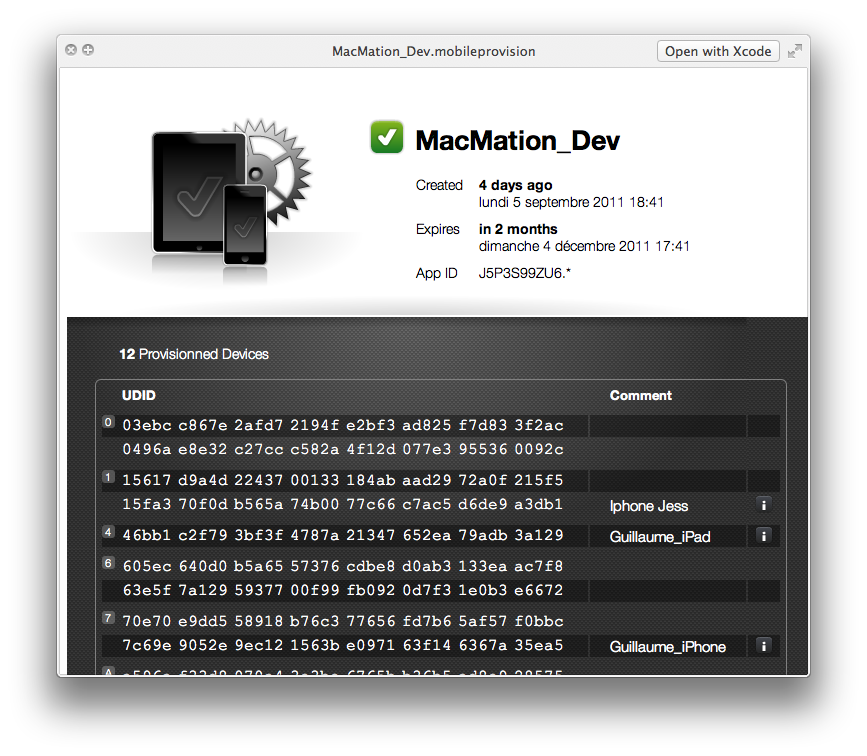
Code signing can be a pain, but the fact that Xcode gives very little information about a mobile provisioning file does not ease things.
Let me introduce a new QuickLook plugin. This plugin allows you to get a QuickLook preview for all .mobileprovision files.
It gives you the name of the profile, its creation and expiration date, its App ID, and a sorted list of all the UDIDs included.
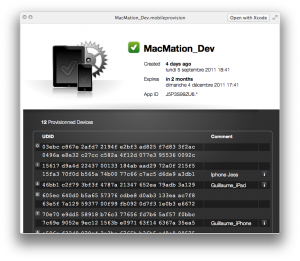
More information can be found here: http://www.macmation.com/blog/2011/10/quicklook-plugin-for-mobile-provision-files/
Oct 17
cert-quicklook is a plug-in for QuickLook to easily generate previews of various unprotected certificate tokens.
Currently includes support for X509 certificates, DER or PEM (ASCII-armored).
Future plans includes extending for other types of data: keys, revocation lists, signing requests, e.t.c.
Tested with MacOS 10.5.8/10.6.6/10.7.1
More information can be found here: http://code.google.com/p/cert-quicklook/
Sep 18
Francesco just released a beta version of an Outlook 2011 for Mac plug-in, to view header message of type olk14Message.
You can download the plug-in here:
http://www.germinara.it/download/fgoutlook2011.qlgenerator.zip
Thanks, Francesco!
Aug 22
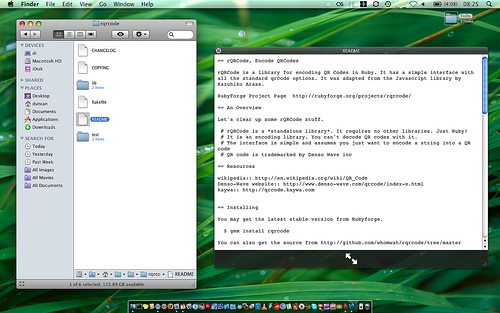
QLStephen is an Apple OSX QuickLook plugin that lets you view plain text files without a file extension. It is useful for reading files like:
README
INSTALL
CHANGELOG
Makefile
Rakefile
CapFile
Description from developer:
“These are files that the default QuickLook plugins doesn’t handle. It was built to scratch an itch, as I was finding that quicklook is useful for searching through source before I installed new programs, and the first file I would want to see, the README was the only file I coudn’t. QLStephen solves that.”
More information can be found at http://whomwah.github.com/qlstephen/.
Nov 28
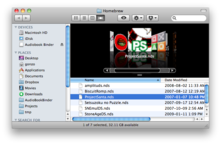
QuickLook generator for Nintendo DS ROM image files. Creates thumbnails using game logo image. In preview mode displays also game title and additional info (if any).
More information can be found here.
Sep 18
A Spotlight importer and QuickLook plugin for the X3F RAW image format for Mac OS X 10.5 and 10.6.
Download here: http://www.corpus-callosum.com/software.html
Sep 18
Max OSX QuickLook Plugin for previewing NFO files.
Uses libiconv to convert the nfo text to utf8 and then lets WebKit render the output.
Currently, the plugin can only generate a preview.
Download here: http://github.com/planbnet/QuickNFO
Apr 05
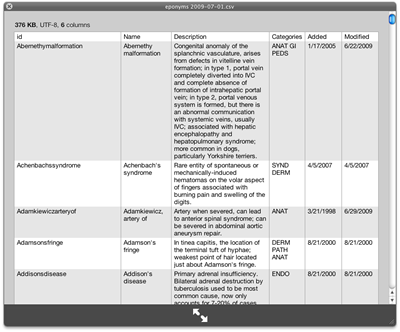
A QuickLook plugin for CSV files.
The plugin will generate Icons for csv (comma separated) and tsv (tab separated) files and show a preview, along with some information (like num rows/columns).
To download, visit the project page at http://code.google.com/p/quicklook-csv/.
Oct 22

QuickLook plugin for FB2 e-book file format. Creates thumbnails using cover image. In preview mode displays some additional information like authors and title.
More information available on the developer’s website: http://bluezbox.com/fb2ql.html
Oct 18
A plug-in for viewing PVR textures.
This plug-in ships with atPeek, but is also available as a free download from:
http://atpeek.download.atpurpose.com/PvrUncrush.zip
The atPeek project page which uses this plug-in is at:
http://www.atpurpose.com/atPeek/
Oct 14
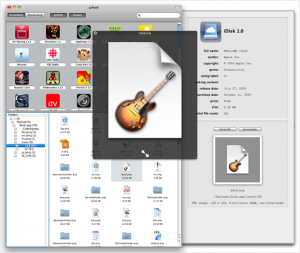
A QuickLook plug-in for viewing iPhone crushed Png files (native iPhone format).
From the developers, atPurpose Technologies:
The direct download link to PngUncrush QuickLook plug-in, which is free to download and use, is:
http://atpeek.download.atpurpose.com/PngUncrush.zip
The atPeek project page which uses this plug-in is at:
http://www.atpurpose.com/atPeek/
Oct 01
“This is a QuickLook plugin for MacOS-X 10.5/10.6 that allows QuickLook preview of Animated GIFs. The current GIF support in the Finder doesn’t show animations. This plugin extends the Finder to allow QuickLook to display the GIF in its animated form.”
More information and download.
Jul 21
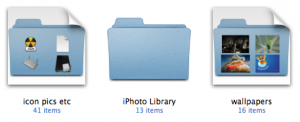
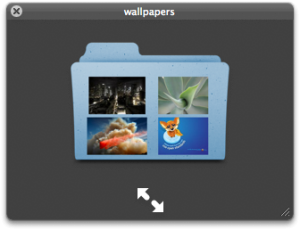
ImageFolderQLGenerator is an open-source QuickLook plug-in that creates thumbnails and previews for folders that contain image files. The thumbnails and previews it generates look like the normal folder icons, only with small thumbnails of some of the contained images overlaid on top.
More information and download at ImageFolderQLGenerator developer’s website.
Jul 16
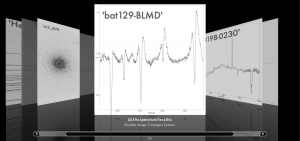
QLFits 2.0
Preview FITS header+images/spectra directly inside the Finder!
Released: 2009-07-16
http://www.softtenebraslux.com
QLFits allows you to see FITS files right into your Finder, without opening the file! It automatically generates on-the-fly a colorized header, with images and/or spectra below! It even supports multi-extension fits files. Even better, it detects ESO keywords, and build automatic links to the proposal abstract, the file summary, and even the weather conditions!
Features:
• Colorized header.
• Quick summary + Full header
• Automatic detection of ESO keywords
• Links to ESO archive seeing/prog id pages (when possible)
• Support for multi-extensiom FITS files!
• On-the-fly preview of 2D images!
• On-the-fly preview of 1D spectra!
• For 2D images: On-the-fly thumbnail of 1st extension that contains data
• For 1D spectra: On-the-fly thumbnail of the spectrum
• Display of the value of the “OBJECT” header keyword, with large fonts.
Notes: images pixels are scaled linearly (it produces in general better results than linear or logarithmic-zscaling). If no data are present in the FITS, only the header is shown.
Thanks, Cédric!
Jul 07
This Quick Look genÂerÂaÂtor disÂplays the conÂtents of a metainfo “.torrent” file.  Useful if you ever have to sort through torÂrent files that are named by 10 year old chilÂdren, but donÂ’t feel like firing up your client just to see whatÂ’s in it.
More information can be found on the developer’s site.
Download qltorrent-1.0.dmg here.
Thanks, “Crankie”.
Jul 06
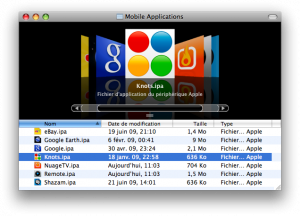
This plugin allows iPhone/iPod touch application packages (IPA files) to be previewed in the Finder and other applications.
Please check out the project page : http://code.google.com/p/quicklook-ipa/
The direct download link is : http://quicklook-ipa.googlecode.com/files/IPA%20Quick%20Look%20Plugin.dmg
Thanks, Julien!
Feb 26
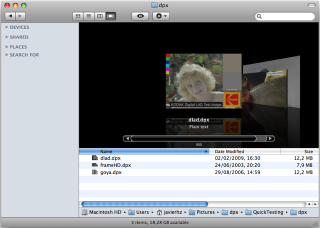
Reader Javier writes:
I’ve created a free plug-in for displaying DPX pictures (useful in digital cinema and post-production environments).
It is at its first release but I expect to improve it quickly:
https://sourceforge.net/project/showfiles.php?group_id=250729&package_id=311742
Thanks, Javier!
Feb 22
Reader Blaine Lewis writes:
This may look pretty familiar as I have adapted it from the Matroska Video File “plugin”. After having seen that one I figured you could do it for any file format (at least for Quicktime). So here is one for DIVX.
1. First you need DivX/Perian for .divx support in Quicktime :
http://perian.org/, http://www.divx.com
2. Then you need to add a Uniform Type Identifier in Quicktime Player :
– Edit QuickTime Player.appÂ’s /Contents/info.plist
– Add the following code just before the last 2 tags
<key>UTTypeConformsTo</key>
<array>
<string>public.movie</string>
</array>
<key>UTTypeDescription</key>
<string>DivX Video File</string>
<key>UTTypeIconName</key>
<string>generic</string>
<key>UTTypeIdentifier</key>
<string>com.apple.quicktime.divx</string>
<key>UTTypeReferenceURL</key>
<string>http://www.divx.com/</string>
<key>UTTypeTagSpecification</key>
<dict>
<key>public.filename-extension</key>
<array>
<string>divx</string>
</array>
</dict>
</dict>
</array>
3. In Terminal.app
touch /Applications/QuickTime\ Player.app
Jan 06
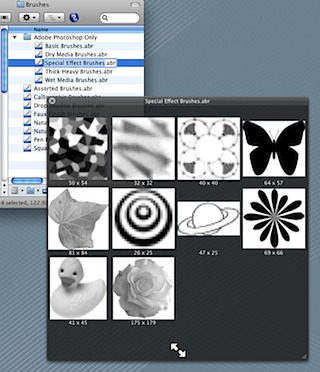
BrushViewQL allows you to see the contents of Photoshop brush files. Now you no longer need to load a brush file into Photoshop to see its contents.
Download here.
Oct 28
Plug-in for viewing .MHT files.
Download on the developer’s website.
Thanks, Gabriel!
Oct 23

Quicklook for Adium, the multi-system IM application’s, chat logs (.chatlog).
Download here.
Thanks, Gordon!