Jul 06
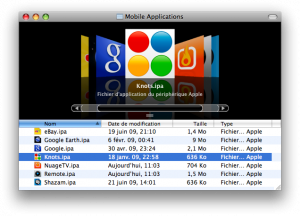
This plugin allows iPhone/iPod touch application packages (IPA files) to be previewed in the Finder and other applications.
Please check out the project page : http://code.google.com/p/quicklook-ipa/
The direct download link is : http://quicklook-ipa.googlecode.com/files/IPA%20Quick%20Look%20Plugin.dmg
Thanks, Julien!
Feb 26
Reader Javier writes:
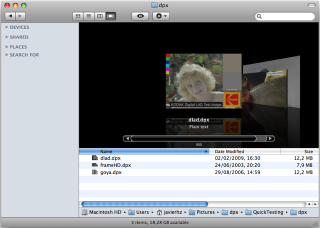
I’ve created a free plug-in for displaying DPX pictures (useful in digital cinema and post-production environments).
It is at its first release but I expect to improve it quickly:
https://sourceforge.net/project/showfiles.php?group_id=250729&package_id=311742
Thanks, Javier!
Feb 22
Reader Blaine Lewis writes:
This may look pretty familiar as I have adapted it from the Matroska Video File “plugin”. After having seen that one I figured you could do it for any file format (at least for Quicktime). So here is one for DIVX.
1. First you need DivX/Perian for .divx support in Quicktime :
http://perian.org/, http://www.divx.com
2. Then you need to add a Uniform Type Identifier in Quicktime Player :
– Edit QuickTime Player.appÂ’s /Contents/info.plist
– Add the following code just before the last 2 tags
<key>UTTypeConformsTo</key>
<array>
<string>public.movie</string>
</array>
<key>UTTypeDescription</key>
<string>DivX Video File</string>
<key>UTTypeIconName</key>
<string>generic</string>
<key>UTTypeIdentifier</key>
<string>com.apple.quicktime.divx</string>
<key>UTTypeReferenceURL</key>
<string>http://www.divx.com/</string>
<key>UTTypeTagSpecification</key>
<dict>
<key>public.filename-extension</key>
<array>
<string>divx</string>
</array>
</dict>
</dict>
</array>
3. In Terminal.app
touch /Applications/QuickTime\ Player.app
Jan 06
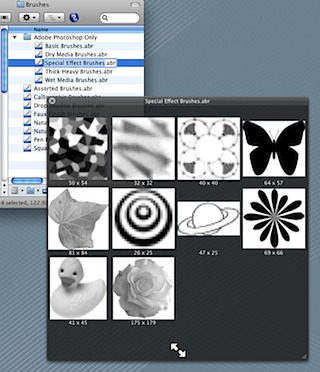
BrushViewQL allows you to see the contents of Photoshop brush files. Now you no longer need to load a brush file into Photoshop to see its contents.
Download here.
Oct 28
Plug-in for viewing .MHT files.
Download on the developer’s website.
Thanks, Gabriel!
Oct 23

Quicklook for Adium, the multi-system IM application’s, chat logs (.chatlog).
Download here.
Thanks, Gordon!
Oct 22
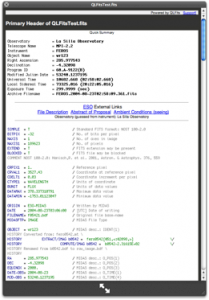
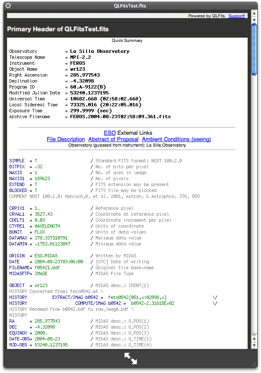
QLFits allows you to see FITS header right into your Finder, without opening the file! It automatically generates on-the-fly thumbnail and preview of the fits header, with colors. Even more amazingly, it detects ESO keywords, and build automatic links to the proposal abstract, the file summary, and even the weather conditions!
Download here.
Oct 19
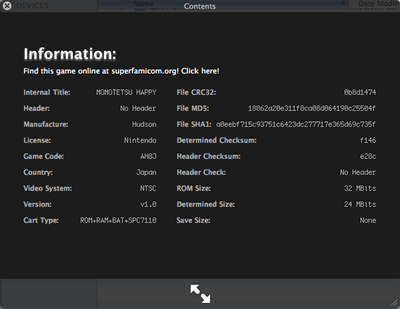
Supports NES, FDS, SNES, VB, GB, GBC, GBA, NDS, N64 and more planned.
Download from the developer.
Thanks, Matthew!
Aug 13
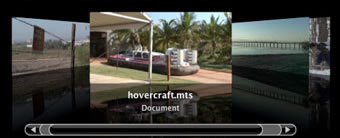
Allows you to preview your AVCHD (mts and m2ts) movies on the Mac.
Download here.
Jun 29
A Quicklook plug-in for Mobipocket ebooks (.mobi and .prc).
You can download the plug-in from here.
Thanks, Paul!
Jun 25
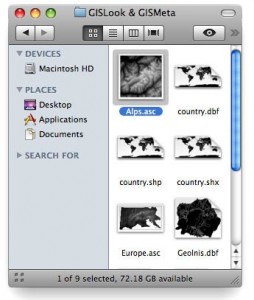 GISLook shows various vector and raster formats used by GIS (Geographical Information Systems), e.g ESRI Shape, E00, ArcInfo Coverage, ESRI ASCII Grid, USGS DEM.
More information can be found on the GISLook webpage.
Thanks to Bernhard Jenny!
May 27
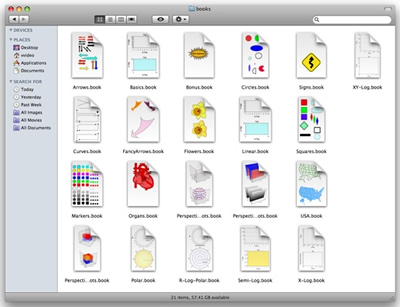
With Vvidget Code you can easily build Quick Look plugins and browse your data files using Cover Flow, Icon and List views in the Finder. The picture below shows an icon view of Vvidget documents made by a Quick Look plugin programmed with Vvidget Code.
More information can be found here.
Mar 24
FJNWebArchive allows viewing of Safari WebArchive files.
Download at QLPlugins, another great site for QuickLook plugins.
Mar 24
Allows for QuickLook previewing of Commodore 64 disk image files in the following formats: *.d64, *.d71, *.d81.
Download here.
Mar 24
This plugin supports Entourage 2008 email for messages located via spotlight.
Download an installer from here.
Mar 02
Randy Saldinger, developer of Suspicious Package, writes:
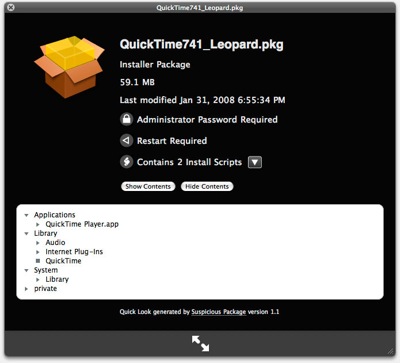
Suspicious Package, the QL plugin for examining Installer packages, has been updated to version 1.1.
This version adds mpkg support, fixes problems where install locations were not always displayed, and adds more information about the package — including administrator password and restart requirements, and what install scripts it contains.
Get the new version, still free, from:
http://www.mothersruin.com/software/SuspiciousPackage/download.html
Jan 23
Displays previews of QuarkXPress 7 files in Quicklook.
More information:
http://labs.quark.com/projectdetail.aspx?did=14
Jan 19
Randy writes:
I’ve written a Quick Look plugin that someone might find interesting: it lets you preview standard Apple installer packages to see what files that will/would install.
The plugin is called Suspicious Package. It is free, and can be gotten from http://www.mothersruin.com/software/SuspiciousPackage/
Jan 11
Nathan writes:
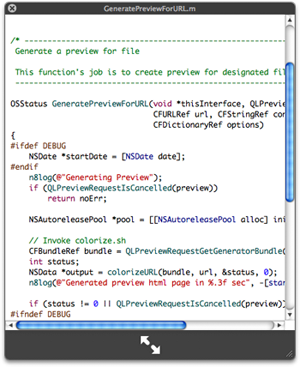
I just wanted to mention that QLColorCode (a popular source code highlighting plug-in) has been updated to version 0.4.1 and that the screenshot you’re showing is somewhat out of date. The highlighting engine has changed and thus the appearance has changed as well.
Thanks, Nathan. Here is a new screenshot:
http://qlcolorcode.googlecode.com/
Jan 11
Reader Phouty sent in:
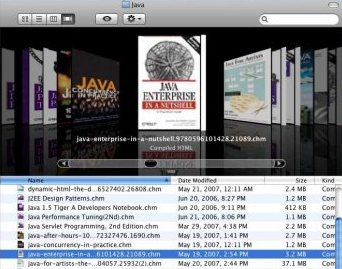
QuickChm is a quicklook plugin which lets you preview a CHM (compiled html) archive in quicklook.
More information.
Jan 07
Reader Matthias writes:
Janome Embroidery Machines (e. g. the MC350E) uses a proprietary file format for patterns. Most machines are able to preview these files, but sometimes you want to check them directly at your computer without the hassle of transfering.
JEFview previews JEF files.
More information
Dec 30
We are interested to find out exactly which Quick Look plugins our readers would like to see developed. Which plugins would be most helpful in your day-to-day use of OS X 10.5?
Please leave your thoughts in the comments of this post, and we’ll follow up with a “most requested” post soon.
Update: Comments have been closed — thanks for participating! A tally of those most requested will be posted soon.
Dec 30
Reader Richard writes:
Bonjour, few words to let you know that the 3DCG software Shade got a free QuickLook plugin available here :
http://shade.e-frontier.co.jp/download/freeware.html
Note : even if the Web site is in Japanese, the installation is a mater of drag and drop and will work with any .shd (Shade 3D scene file format) files.
More infos on Shade can be found here : http://www.e-frontier.com/
Dec 30
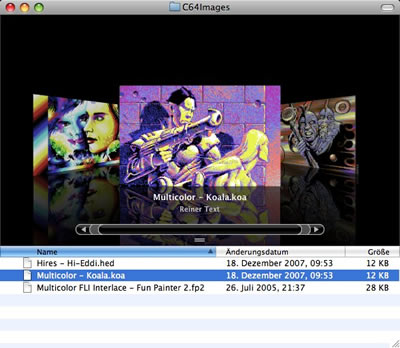
The C64 Images plug-in that had previously been posted has been updated to support additional formats Hi-Eddi (.hed) and Fun Painter 2 (.fp2).
Dec 20
Wade from Panic sent in:
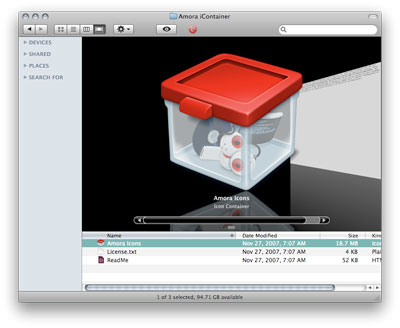
CandyBar from Panic (www.panic.com/candybar) has a Quick Look plug-in built-in for previewing iContainers.
Note that this plug-in comes as part of CandyBar, which costs $29, with discounts available for previous users.
Dec 16
Reader Fred Duck has submitted a way to enable Corel Painter Essentials 4 Quick Look previews. Thanks, Fred!
Fred noticed that the free preview of Corel Painter Essentials 4 includes a Quick Look plugin for Painter files. The filename is “Corel Painter.mdimporter”. To avoid licensing issues, we have decided not to host the file, but rather direct users to the article where this is mentioned:
http://journal.mycom.co.jp/news/2007/12/10/041/index.html (Google English translated version available here).
Dec 16
Here is a neat trick that I am sure could be expanded to include even more file types, as submitted by reader Frantz. Thanks, Frantz!
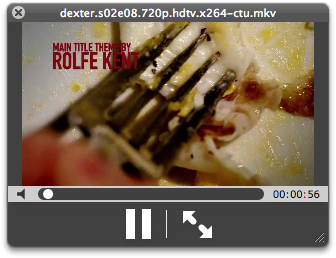
I’ve found a trick allowing me to display Matroska video files in Quicklook without the need of a plugin :
1 / First you need Perian for mkv support in Quicktime : http://perian.org/
2 / Then you need to add a Uniform Type Identifier in Quicktime Player :
– Edit QuickTime Player.app’s /Contents/info.plist
– Add the following code just before the last 2 tags </dict></plist> :
<key>UTExportedTypeDeclarations</key>
<array>
<dict>
<key>UTTypeConformsTo</key>
<array>
<string>public.movie</string>
</array>
<key>UTTypeDescription</key>
<string>Matroska Video File</string>
<key>UTTypeIconName</key>
<string>generic</string>
<key>UTTypeIdentifier</key>
<string>com.apple.quicktime.mkv</string>
<key>UTTypeReferenceURL</key>
<string>http://www.matroska.org/</string>
<key>UTTypeTagSpecification</key>
<dict>
<key>public.filename-extension</key>
<array>
<string>mkv</string>
</array>
</dict>
</dict>
</array>
3 / In Terminal.app
touch /Applications/QuickTime\ Player.app
Et voila that’s all:
Dec 15
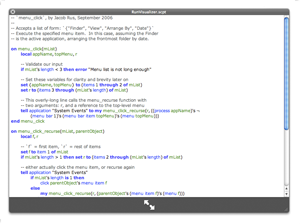
Provides a Quick Look preview of an AppleScript file.
More information
Dec 10
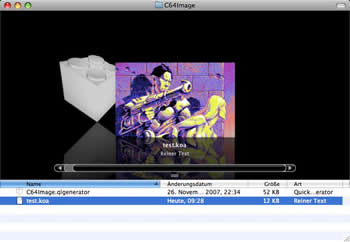
This plug-in shows the Koala image .koa format — a common format on the Commodore C64. According to the developer, the plug-in will support more formats in the near future.
More details
Dec 06
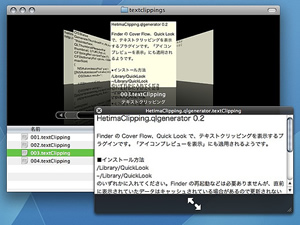
A plugin for text clipping file (.textClipping). and picture clipping file (.pictClipping).
More information
Dec 06
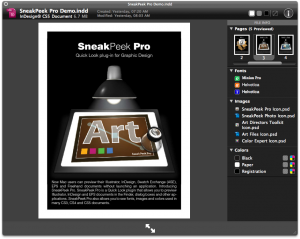
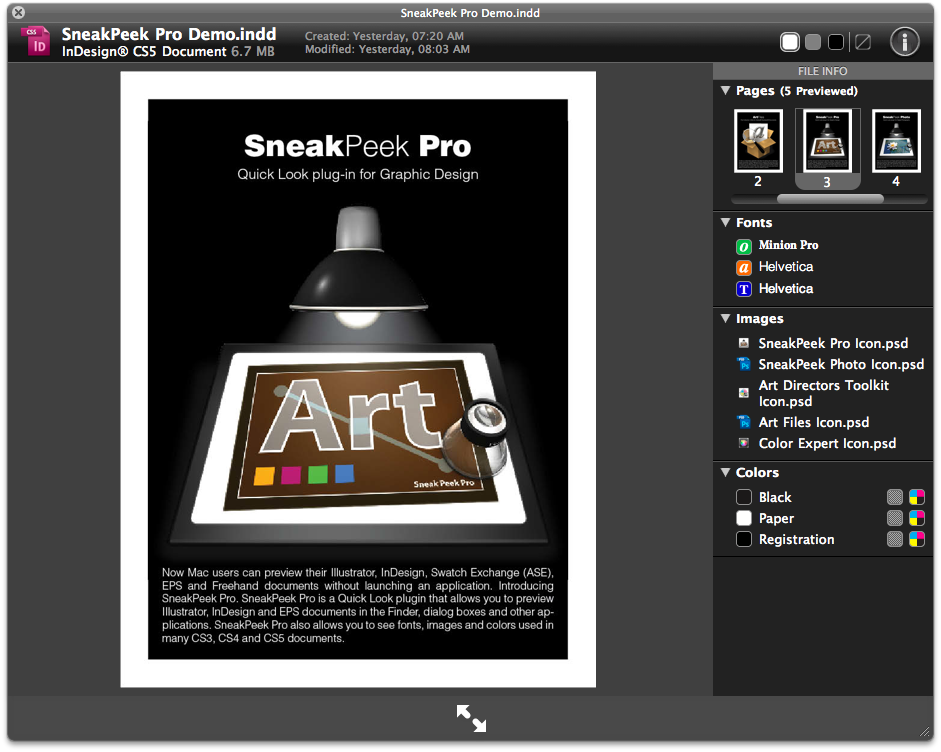
Quick Look plugin for Adobe Illustrator®, Adobe InDesign® & Encapsulated PostScript.
Requires a payment of $5.
More information
Dec 06
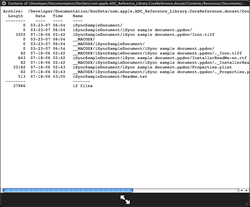
Allows previewing of the contents of .zip files.
More informationÂ
Dec 06
A plugin for source code files that produces colorized output for the following languages:
- Objective-C/C++
- C/C++
- Perl
- Python
- Java
- Shell scripts
- Assembly language
More information
Dec 06
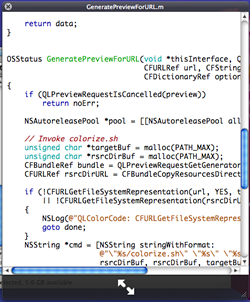
A syntax-highlighting plugin for source code displayed in QuickLook.
More informationÂ
Dec 04
This QuickLook generator renders QuickLook previews for certain filetypes using the TextMate syntax highlighter. Currently itÂ’s configured to highlight Perl, PHP, Ruby, Shell, C headers and Obj-C(++) files.
Requires that TextMate be installed and running.
More informationÂ
Dec 04

Enables QuickLook previews of Illustrator (AI) files saved with PDF compatibility.
More informationÂ
Dec 02
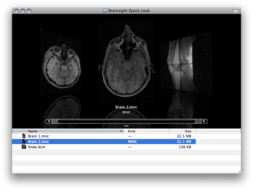
Brainsight QuickLook is a Quick Look generator plugin that allows medical images in the MINC1, MINC2, DICOM, and NIfTI file formats to be previewed in the Finder and other applications.
(It is assumed this requires additional software.)
More information
Dec 02
Enables playback of Adobe Flash FLV video files within QuickLook. Requires the free QuickTime plugin Perian to be installed.
Download
Dec 02
Extends QuickLook functionality to be able to display previews and thumbnails for eps files.
More information
Dec 02
Works with standard Spectrum SCR files and those with enhanced Timex modes.
More information
Dec 02
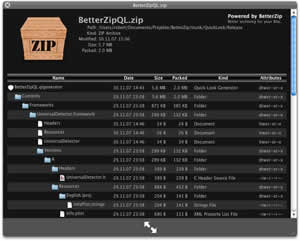
BetterZip Quick Look Generator supports the following archive formats: ZIP, TAR, GZip, BZip2, ARJ, LZH, ISO, CHM, CAB, CPIO, RAR, 7-Zip, DEB, RPM, StuffIt’s SIT, DiskDoubler, BinHex, and MacBinary.
Note that this plugin requires the $20 BetterZip be installed on your system, as it uses BetterZip to process the archive file contents. I have just been informed by the developers of BetterZip that the BetterZip application is NOT required, and thus this makes the plugin free!
More information
Dec 02
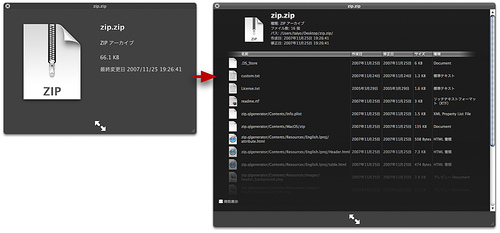
Allows you to see the contents of a ZIP file in QuickLook view.
Download
Dec 02
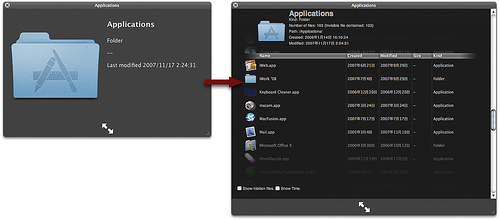
Folder.qlgenerator shows items contained in folders in a list view.
More information
Dec 02
To install QuickLook plugins, you should copy the “*.qlgenerator” file into /Library/QuickLook/ or ~/Library/QuickLook/. Note that “*” in the filename will vary based on exactly which QuickLook item you choose to install.
If a QuickLook folder is no present, feel free to create one.
After copying the file into the directory you will need to logout and then back in to your account for it to become active. Alternatively, you can prevent having to logout by running the following command in Terminal:
qlmanage -r
This will force OS X to search /Library/QuickLook and ~/Library/QuickLook for plugins and load them accordingly.
Dec 02
ColorXML is a simple QuickLook plugin which enables to display XML files with indentation and XML syntax coloring.
Download